GoHighLevel 44-Day Free Trial: The Legitimate Two-Step Strategy
Forty-four days of GoHighLevel completely free. Not a workaround, not a trick — a two-step strategy that’s fully legitimate and available to any new user right now.
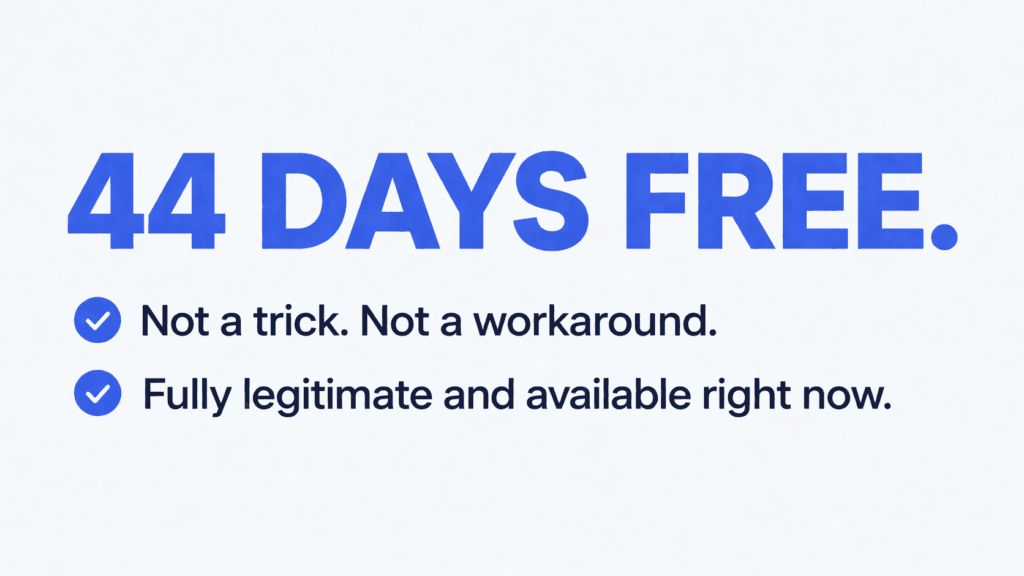
The 30-day free trial starts the moment you click this affiliate link and sign up on th GoHighLevel’s site. The 14-day extension gets stacked on top during the final week of that trial. Total: 44 days of full platform access before a single dollar leaves your account.
Most people signing up for GoHighLevel go straight to the homepage and get the standard 14-day trial.
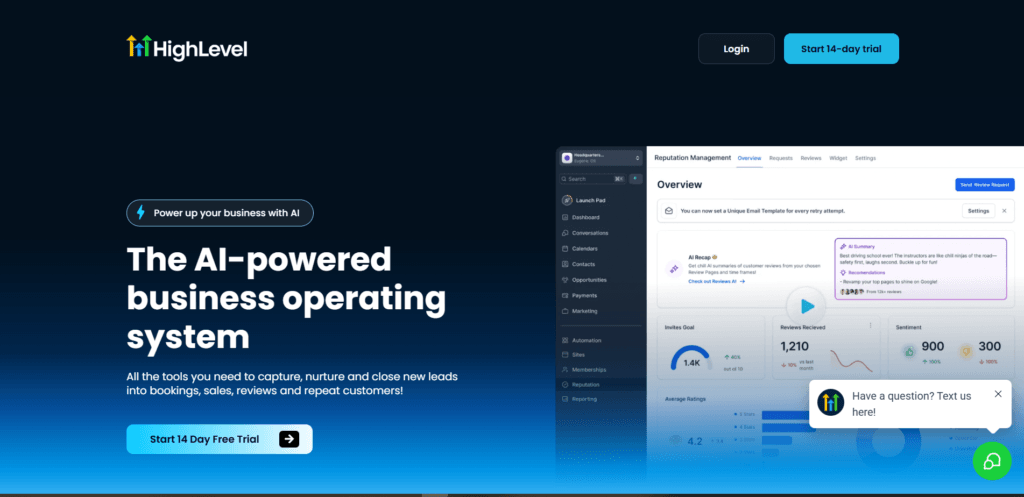
That’s their starting point. This guide shows you a better one — a gohighlevel trial that gives you more than three times that window, plus a step-by-step walkthrough of the entire signup process, plan selection, and exactly when and where to grab the extension inside your dashboard.
By the end, you’ll know everything you need to know about go high level to start your 44-day clock right now.
How Does the GoHighLevel 44-Day Free Trial Work?
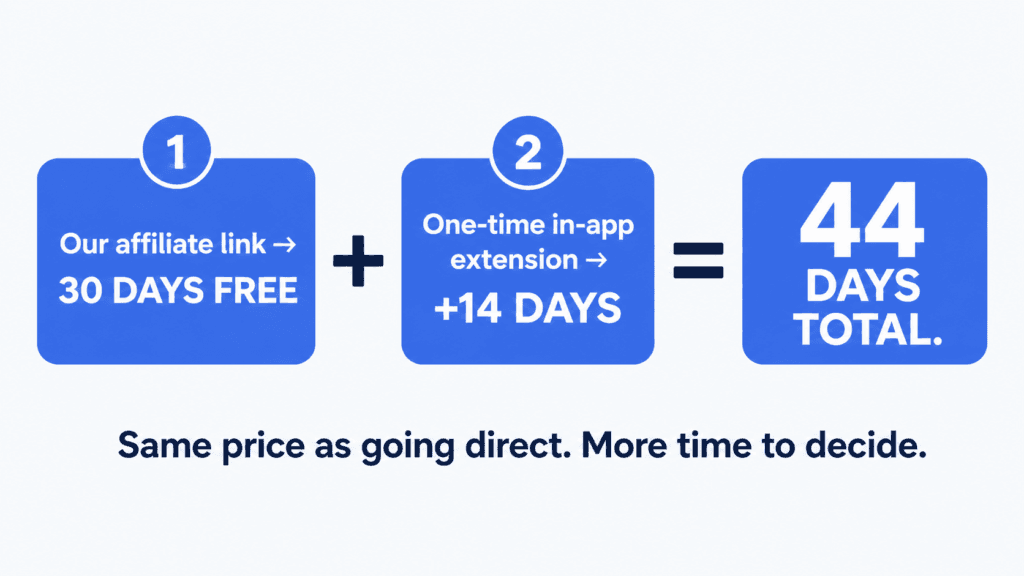
Here’s how the math works. The official GoHighLevel homepage offers a 14-day free trial to everyone who signs up directly. That is their standard offer. But there’s a dedicated affiliate link unlocks a full 30-day free trial instead.
Same platform. Same features. Same pricing after the trial ends. The only difference is that you get more than twice the time to evaluate it.
Then here’s the part that turns 30 days into 44. As your trial approaches its expiration — typically in the final seven days — GoHighLevel makes a one-time option available inside your account to extend your trial by an additional 14 days.
That extension is available once per account. When that prompt appears, click “Extend Trial.” Those two weeks stack directly on top of your 30-day trial and give you a total of 44 days free before any subscription charge hits your card.
Thirty days from the affiliate link. Fourteen days from the in-app extension. Forty-four total days at $0 until you decide you’re ready.
How to Sign Up for the GoHighLevel 44-Day Free Trial
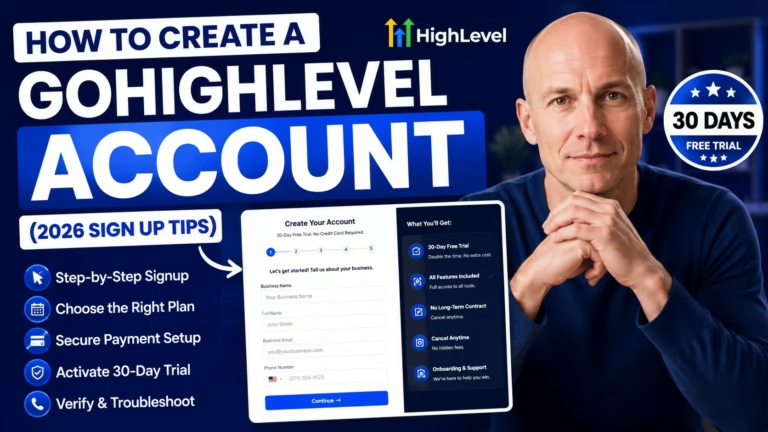
Click this link to go directly to the GoHighLevel sign-up page with the 30-day free trial already applied and confirmed on the page before you enter any details.

Click the “Start Your 30 Day Free Trial” button to begin.
Step 1 asks for your business information.
Enter your company name, your full name, your email address, and your phone number — making sure you add the correct country code.
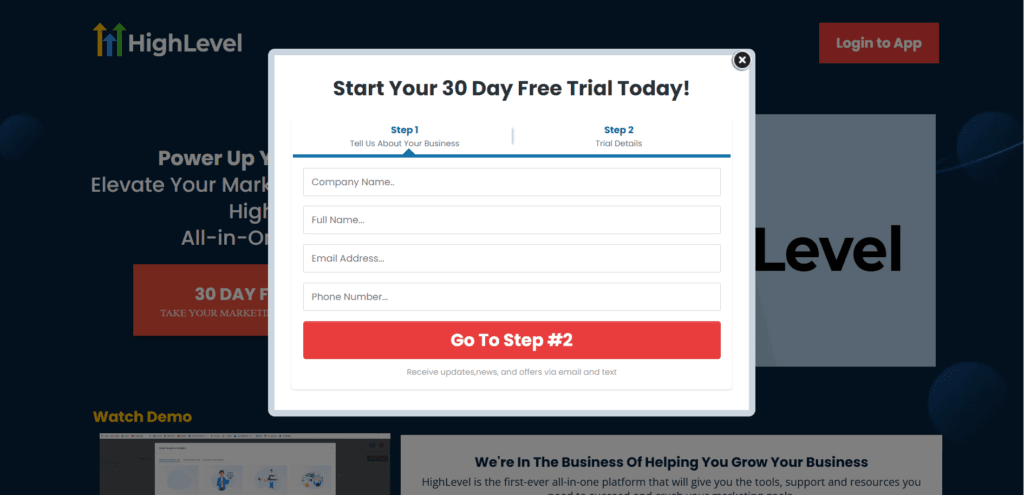
Then click “Go to Step Two.”
Step 2 is your plan selection and payment. Three plans are available, and the right one depends on where your business is right now. Enter your card details, review the order summary, check the terms and conditions box, and click “Start Your 30 Day Free Trial.”
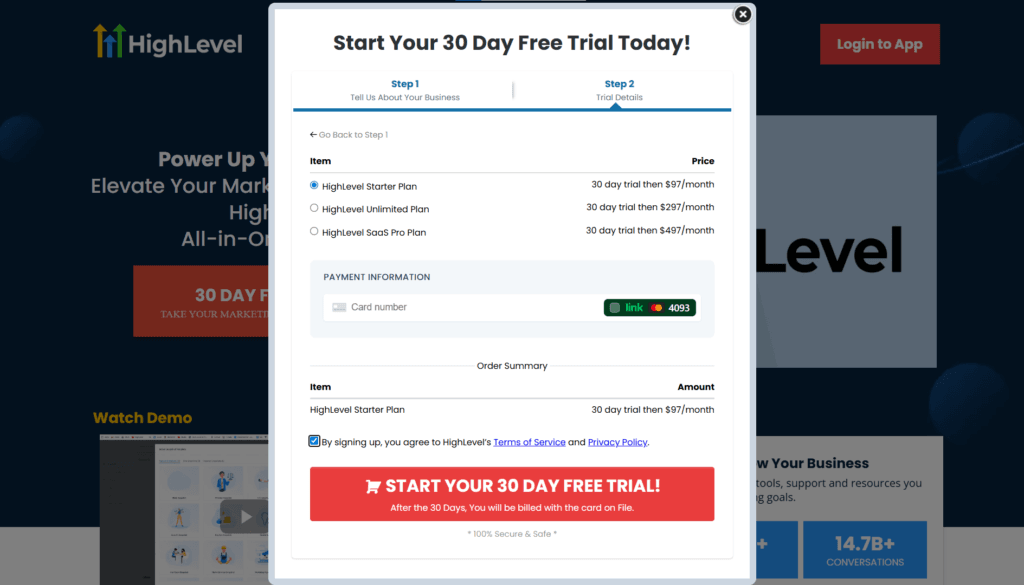
You have 44 days to explore to figure out exactly which plan makes sense for your business before the first charge ever hits.
Once your account is created you will be live in your dashboard:
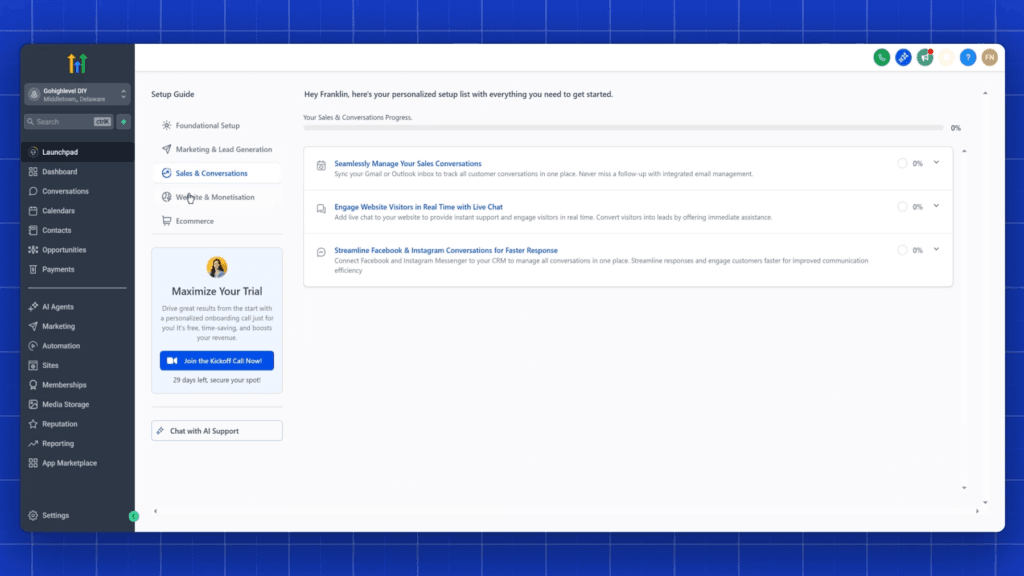
How to Activate the 44-Day Free Trial and When to Grab the 14-Day Extension
Once your trial is about to expire — within the last seven days — you’ll see the free trial extension option inside your account.
Click it to extend your trial to a total of 44 days. This is a one-time offer that’s available once per account, so don’t miss it.
The extension typically appears in the billing section inside your GHL dashboard. Keep an eye out during that final week and take advantage of it the moment it appears.
How to Extend Your Trial by 14 Days in Four Simple Steps
Navigate to “Settings > Billing”
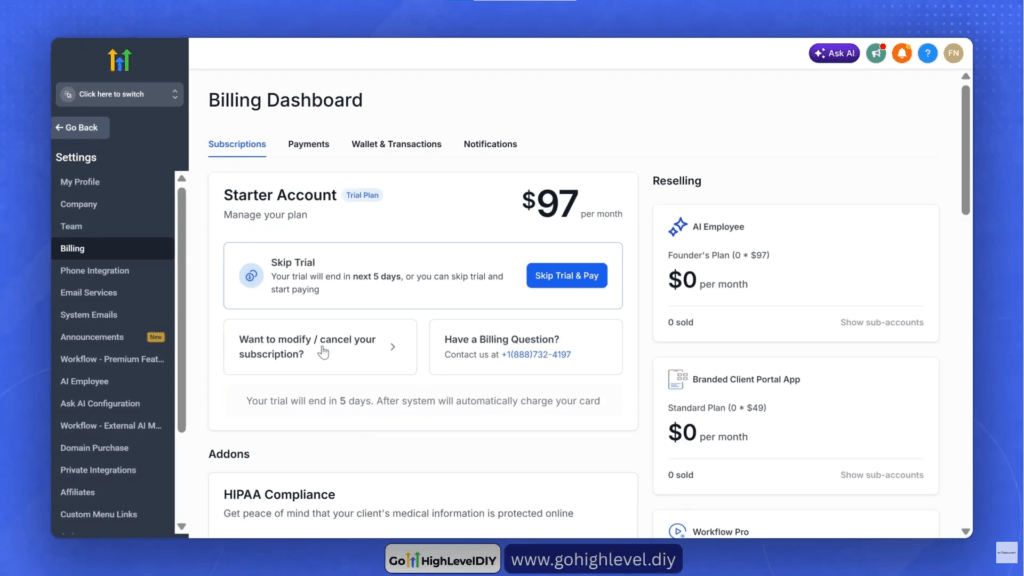
Click “Want to Modify/Cancel Your Subscription?”
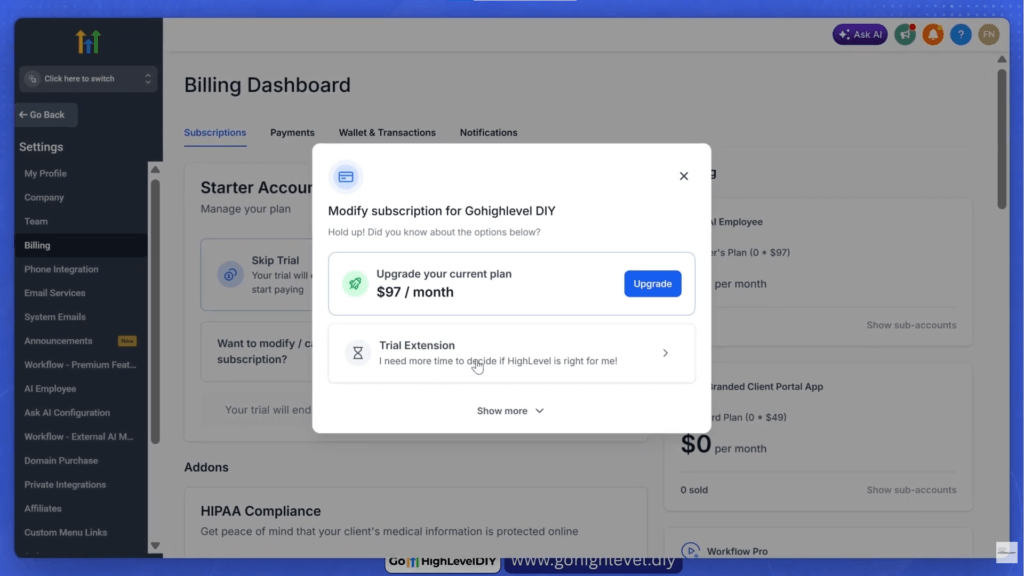
Click on “Trial Extension”
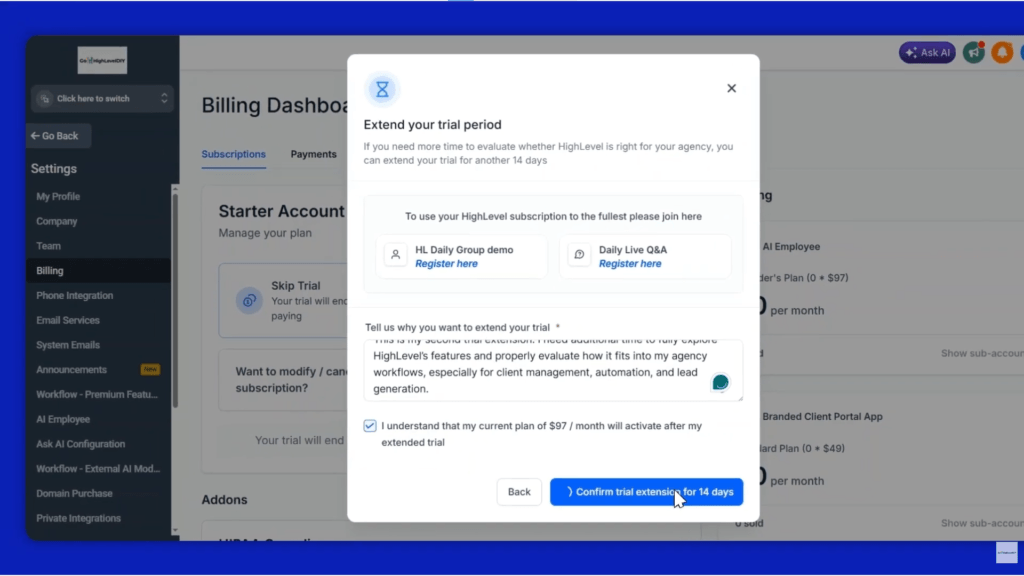
Fill in the reason for your trial extension and click “Confirm Trial Extension for 14 Days”
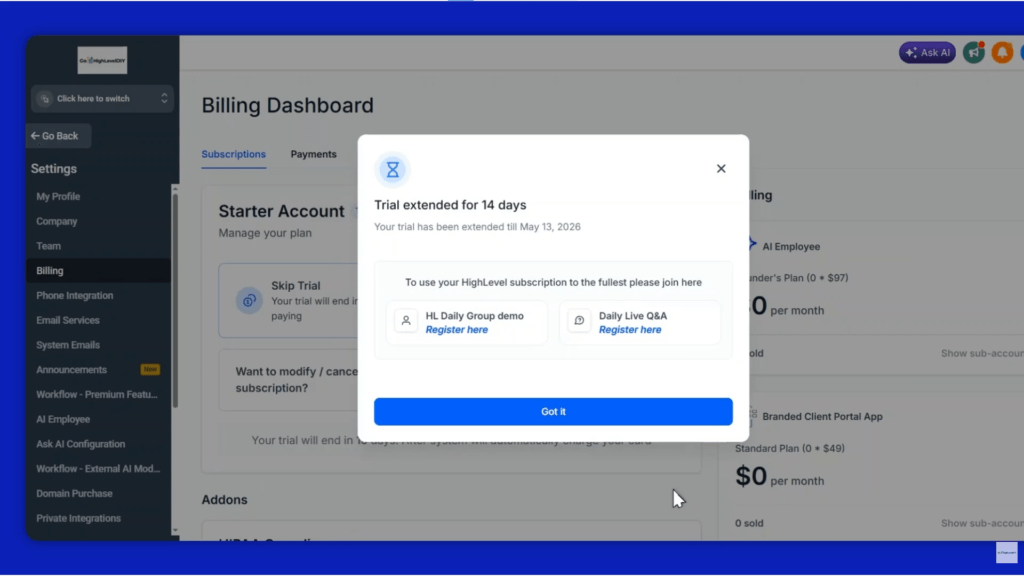
And viola!!! Your free trial is successfully extend for additional 14 days.
There’s no downside to extending — it just adds another two weeks of full access at zero cost.
That 14-day trial will help you learn things about the platform you haven’t had time to get to yet. It’s the difference between making a confident decision about GoHighLevel and feeling pressured to commit before you’re ready.
Spoiler Alert: You can repeat this same strategy after the first trial extension (within last seven days) to extend it to 58 days total.
What Are the GoHighLevel Plan Options?
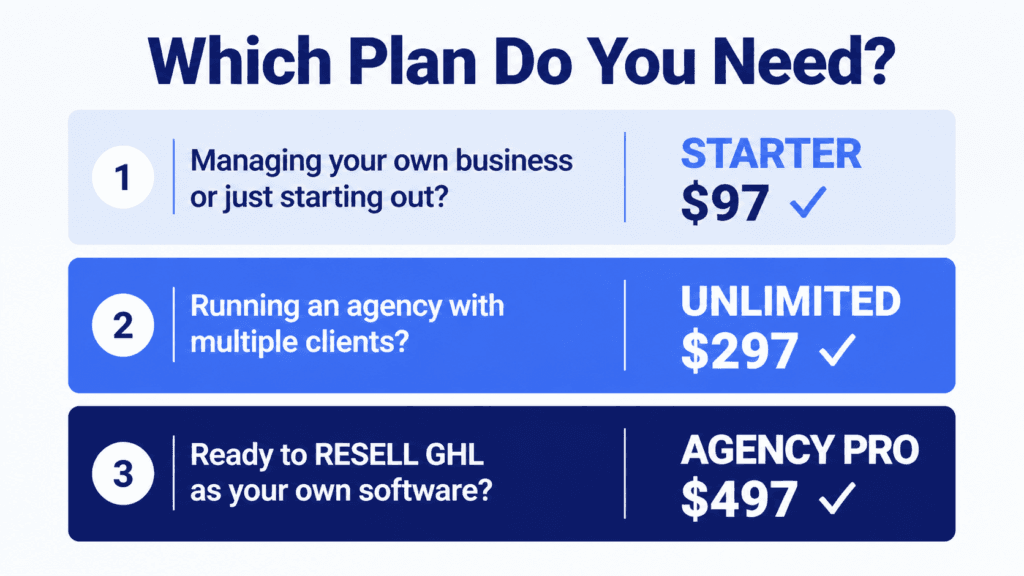
There are three plans to consider during your gohighlevel 30-day free trial signup, and all three give you access to the 44-day trial strategy.
Starter Plan
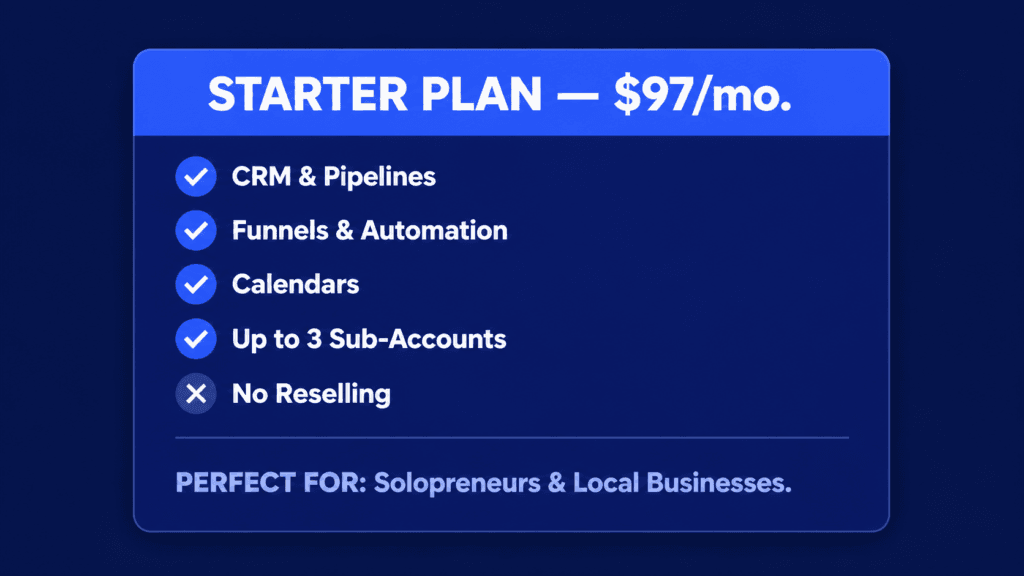
The Starter Plan at $97/month is built for solo entrepreneurs and small businesses managing their own operations or up to three clients.
You get every core feature the platform offers with support for up to three sub-accounts. If you are managing your own business or just starting out with clients, this is the right starting point.
Unlimited Plan
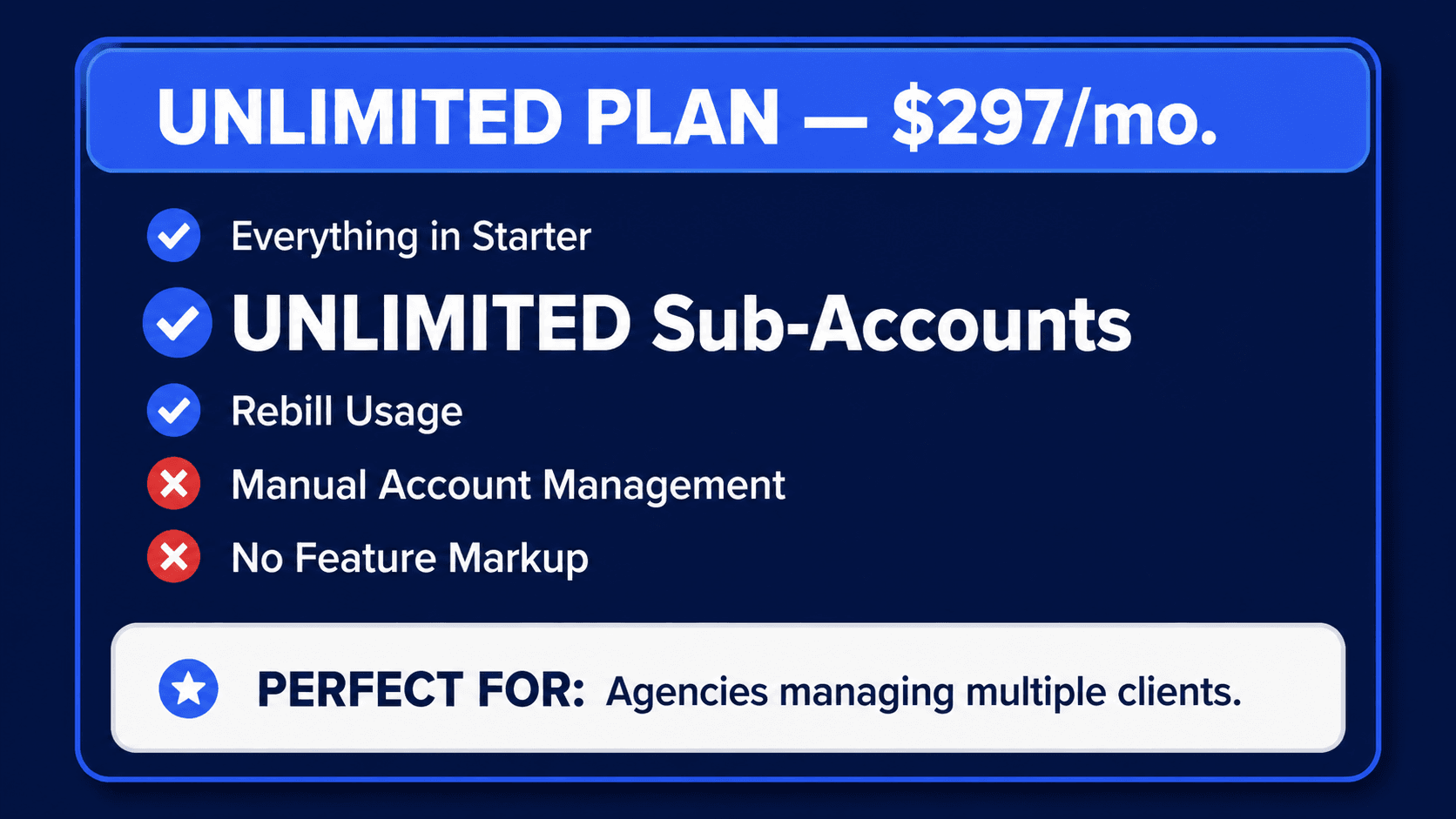
The Unlimited Plan at $297 per month is designed for entry-level agencies. It removes the sub-account ceiling entirely, so you can manage as many clients as you need.
It also includes basic API access and the ability to rebill your clients for phone and email usage at cost. This is the all-in-one platform upgrade for agencies scaling past three clients.
Agency Pro Plan (Unlock SaaS Mode)
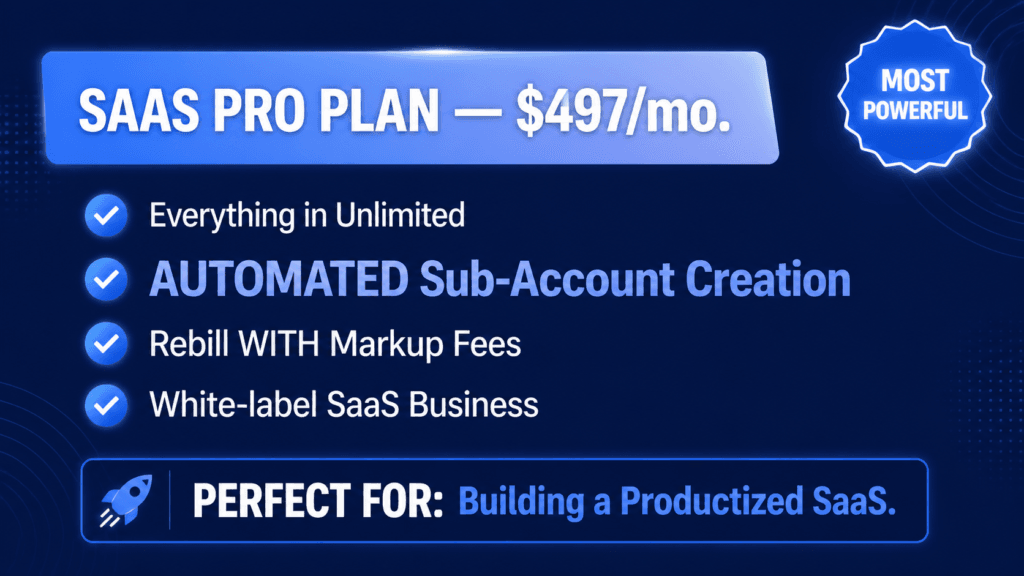
The Agency Pro Plan at $497 per month is for high-level agencies or those who want to white-label and resell GoHighLevel as their own software product.
It unlocks SaaS mode and adds automated sub-account creation, markup rebilling across services, and everything you need to run a productized software business on top of the platform’s core features.
If you’re unsure which plan to choose, start with the Starter Plan. With this plan, you have access to all core GHL features but limited to three sub-accounts.
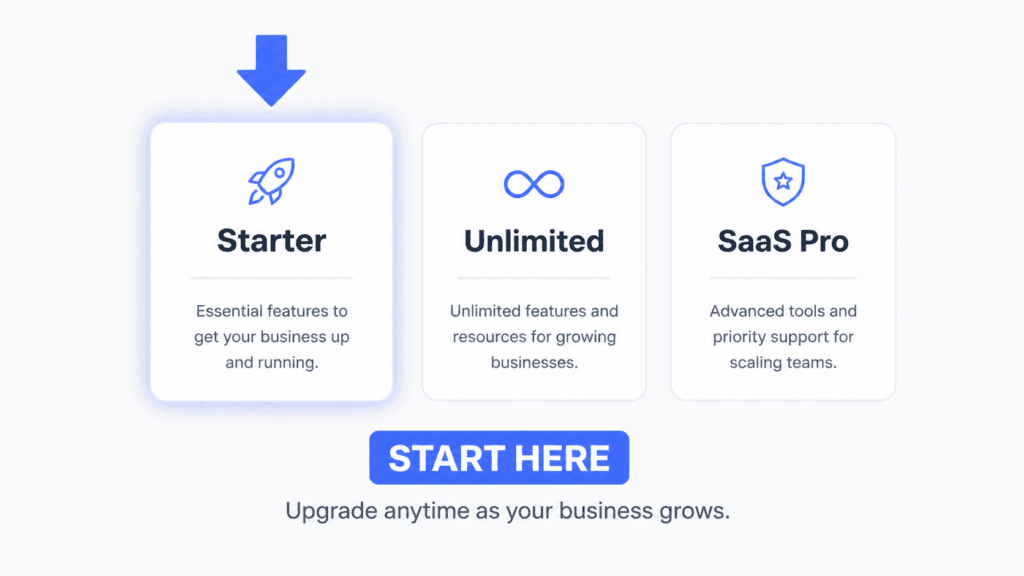
Below is a quick comparison of three plans:
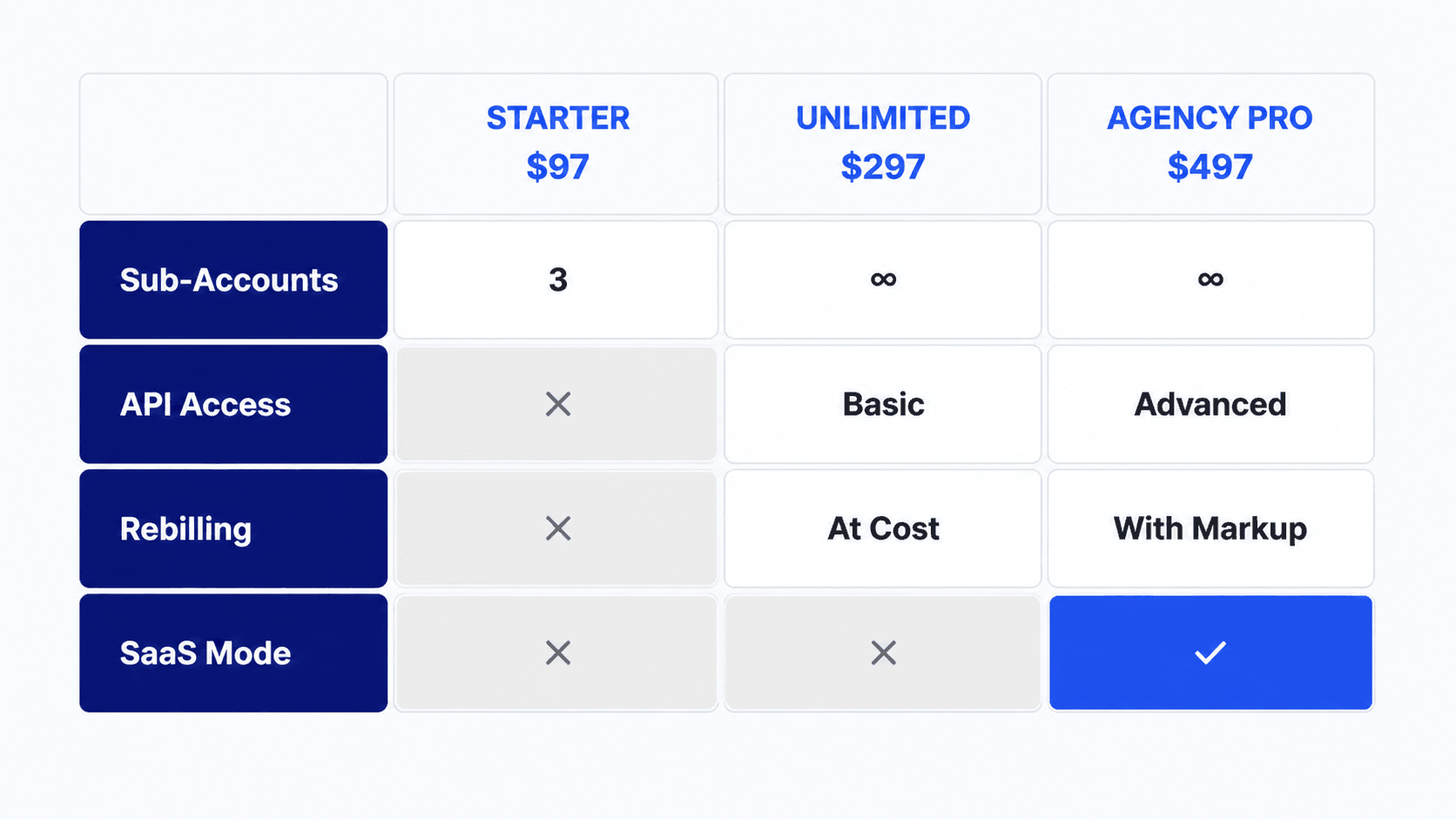
Every essential feature is available on the Starter plan from day one, and you can upgrade anytime. The goal right now is simply to get inside the platform and start exploring.
You have 44 days to figure out which plan makes sense and that’s a no-brainer for anyone new to GoHighLevel.
What Happens During GoHighLevel Onboarding?
Once your account is created, you land on the onboarding page to set your password and verify your email and phone number.
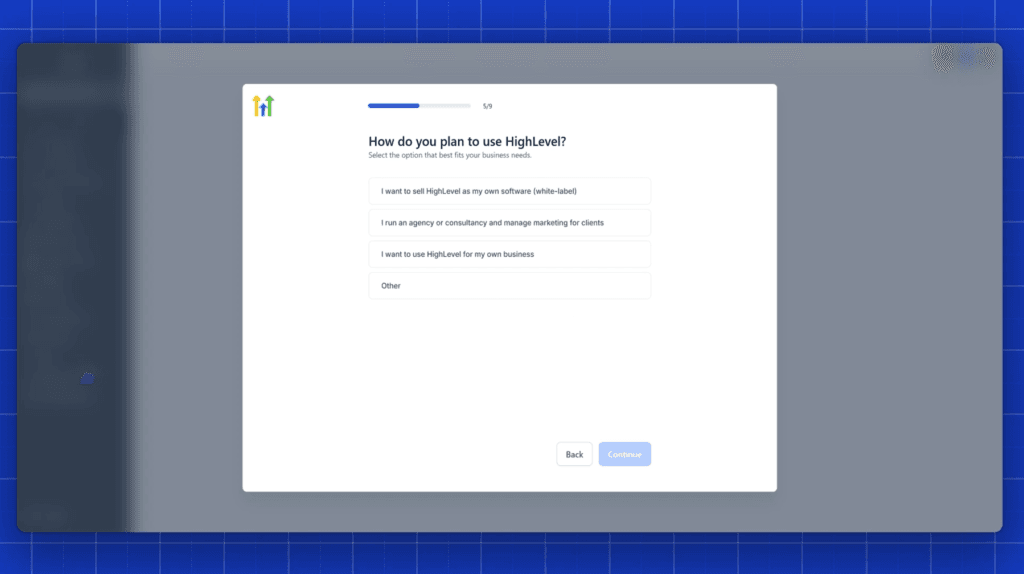
If phone or email verification gives you trouble, you can update the number, resend the code, or join GoHighLevel’s live Zoom onboarding call where a specialist will verify your account manually.
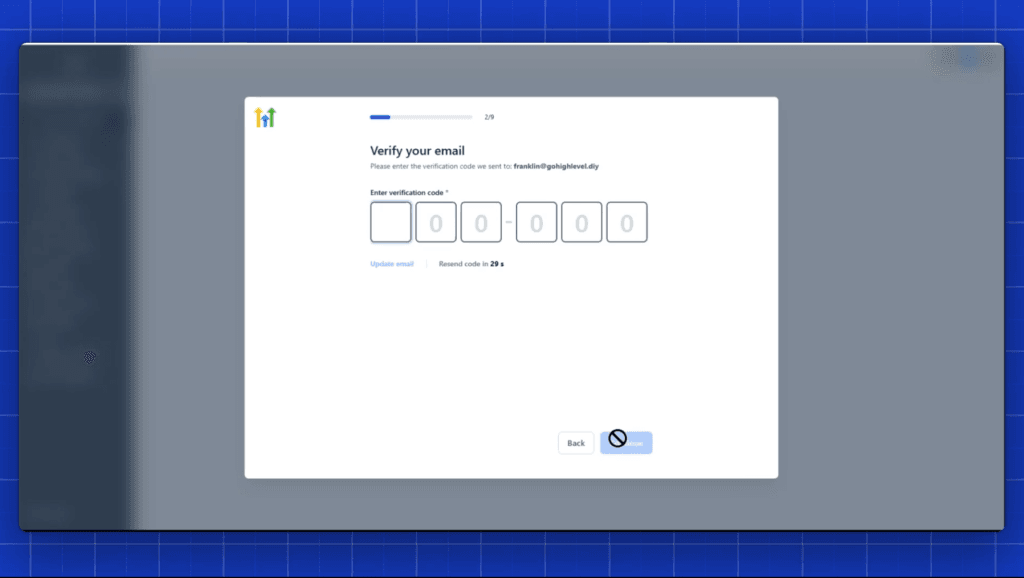
After verification, complete the onboarding questionnaire. This personalizes the resources and tutorials that appear in your dashboard so the platform is oriented toward your specific goals from day one. Once that’s done, your account is fully unlocked and ready to use.
Inside the dashboard, click the launch icon in the bottom-right corner to access GoHighLevel’s guided onboarding steps — a structured walkthrough of the platform’s core features.
Then switch to Agency View using the dropdown menu, navigate to Settings and then Billing, and confirm your 30-day free trial is active and shows the correct end date.
That confirmation screen is your starting point. From there, the 44-day clock is ticking in your favor.
What Can You Actually Do With 44 Days?
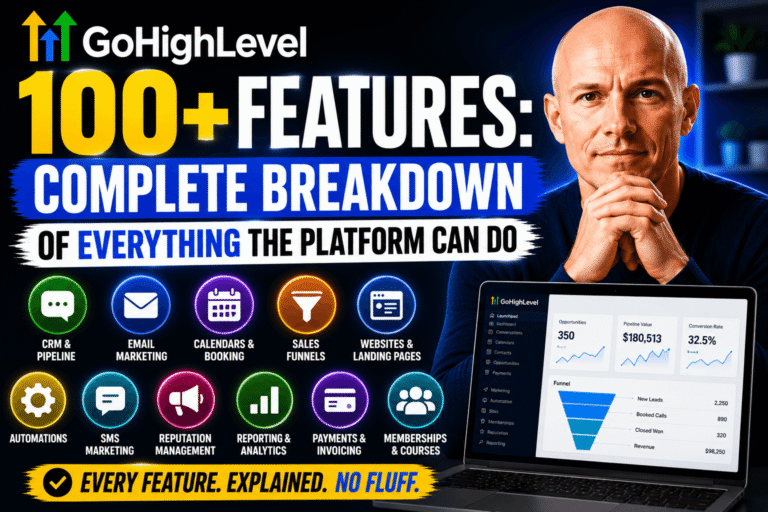
Forty-four days is a serious runway. It’s enough time to:
- set up your CRM and first pipeline,
- connect your phone and email system,
- build your first automation workflow,
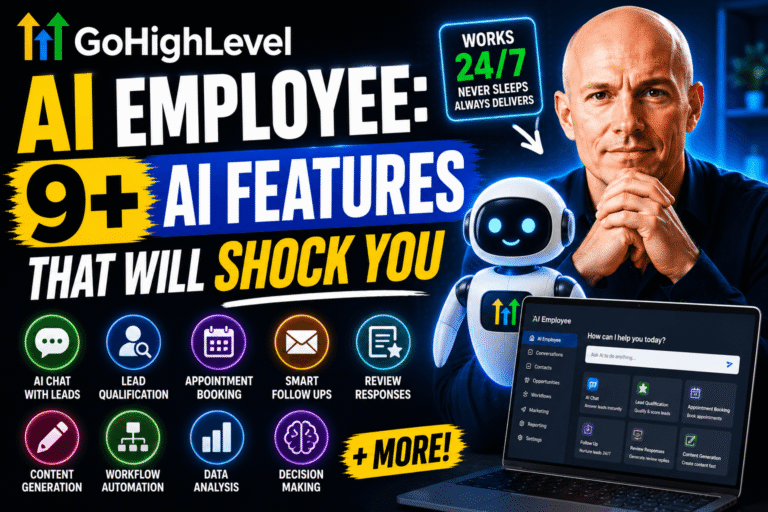
- test Conversation AI on at least one channel,
- setup your voice ai agent and connect to your
- create a funnel or landing page,
- configure reputation management,
- and review your reporting dashboard
— all before deciding which plan fits your needs.
GoHighLevel has a huge learning curve, and having access to the platform for an extended period changes how deeply you can evaluate it.
The 44-day trial isn’t just generous — it’s practical. Robust marketing and business management tools take time to learn, and this trial will help you learn and master the platform before your first payment.
The 5 Day Reviews Challenge bundle, which is available as a bonus for some users, is one example of the kind of resources that can fast-track your results during those 44 days.
Use the highlevel community, the guided onboarding steps, and the training materials available inside your dashboard to make every day count.
What Does Signing Up Through the Affiliate Link Actually Cost?
Signing up through the affiliate link costs you nothing extra. The price is identical to signing up anywhere else. The only difference is the additional time you get and the fact that using the link supports more honest GoHighLevel content creation.
There’s no catch. The platform is free to explore for the duration of your 44-day trial, and unless you decide to cancel before the trial ends, your chosen plan begins billing at the standard monthly rate after those 44 days.
GoHighLevel does not offer a refund policy guarantee after the billing period begins, so the trial window is your window — use all of it.
The current 30-day free trial when signing up through the affiliate link is the most time you can get before paying.
There’s no comparable offer available when you sign up directly through the GoHighLevel homepage. It’s a limited time advantage that costs you nothing to take.
Already a HighLevel User? Here’s What to Know
If you’re already a highlevel subscriber and wondering whether this extended trial applies to your account — it doesn’t. The 44-day free trial is available to new users only. The affiliate link must be used before creating an account to unlock the 30-day period.
That said, if you have a team member, a client, or a colleague who’s been sitting on the fence about GoHighLevel, this is the offer to send them.
The opportunity to take your business operations to the next level by harnessing the power of the platform becomes much more accessible when they have 44 days to explore it at zero cost rather than 14.
If you are a new user and you’re reading this before signing up — sign up for gohighlevel through the affiliate link below, confirm your trial is active in Billing, and start building.
Summary
The GoHighLevel 44-day free trial is a lucrative offer any new user can get on the platform without paying anything.
Start with the affiliate link to get 30 days, confirm your trial in the billing section, and watch for the one-time in-app extension that appears in your final week to push your total to 44 days.
Start your 44-day trial, and see what GoHighLevel can actually do for your business — and for your clients.
Key Takeaways
- The GoHighLevel homepage offers a 14-day trial; our affiliate link unlocks a full 30-day free trial — more than double the standard offer.
- A one-time in-app extension adds 14 additional days on top of the 30-day trial, bringing the total to 44 days of full platform access.
- The extension appears inside your account in the final seven days of your trial — it’s available once per account, so don’t miss it when it shows up.
- Signing up through the affiliate link costs nothing extra — the pricing after the trial is identical to signing up directly through GoHighLevel.
- The signup process covers two steps: business information and plan selection with payment — no charge is applied during the entire 44-day trial period but requires a credit/debit card to sign up.
- All three plans (Starter $97, Unlimited $297, Agency Pro $497) include full core feature access and are eligible for the 44-day trial strategy.
- If you’re unsure which plan to choose, start with the Starter Plan — every essential feature is included, and you can upgrade anytime.
- After signup, confirm your trial is active by navigating to Agency View, then Settings, then Billing inside your GoHighLevel dashboard.
- GoHighLevel does not offer a refund policy guarantee after billing begins, so use the full 44-day window to evaluate the platform properly.
- Our affiliate link also comes with exclusive bonuses — including a free one-on-one strategy session, custom automations, and access to a private support community.
FAQs
How is the GoHighLevel 44-day free trial different from the standard offer?
The 44-day free trial is a two-step strategy: you sign up through a specific affiliate link that unlocks a 30-day trial instead of 14, and then in the final week of that 30-day period, GoHighLevel makes a one-time in-app extension available that adds another 14 days.
The result is 44 total days of full platform access at zero cost — more than three times the standard trial. In context, the standard GoHighLevel free trial available on the homepage is 14 days.
Is the GoHighLevel 44-day trial legitimate?
Yes. This is not a workaround, a hack, or a loophole. The 30-day trial is an officially extended trial unlocked through an affiliate relationship with GoHighLevel.
The 14-day in-app extension is a feature GoHighLevel built into the platform to allow users more time when they need it. Both are fully legitimate and available to any new user following the steps in this guide.
When does the 14-day extension appear inside GoHighLevel?
The extension option typically appears in the final seven days of your 30-day trial. It shows up in the Billing section.
Keep an eye on your account as your trial end date approaches. The extension is a one-time offer, so once it appears, take it immediately — don’t wait until your trial actually expires.
Can I change my GoHighLevel plan during the 44-day trial?
Yes. You can upgrade your plan at any time during or after the trial period.
If you started on the Starter Plan and find that you need unlimited sub-accounts or access to SaaS mode during your 44 days, you can upgrade with a single click from inside your account settings.
There’s no penalty for upgrading or downgrading, and you won’t lose any data or configurations you’ve built during your trial.
What happens when the 44-day trial ends?
When your 44-day trial period ends, your card is charged for the monthly or yearly plan you selected during signup. Unless you decide to cancel before the trial ends, billing begins automatically.
GoHighLevel does not offer a refund policy guarantee once the billing cycle starts, so it’s important to make your decision — stay, upgrade, downgrade, or cancel — before the trial window closes.
Do I need a credit card to start the GoHighLevel 44-day free trial?
Yes, GoHighLevel requires card details at signup to set up the subscription structure. However, no charge is applied until after your full 44-day trial period ends (30 days plus the 14-day extension if you take it).
Your card won’t be billed unless you decide to keep your subscription past the trial. This is standard SaaS trial practice — the card is required to prevent abuse of the free trial system.
What should I do with 44 days inside GoHighLevel?
Use the first week to complete onboarding, set up your CRM, connect your phone and email, and get familiar with the dashboard navigation.
Week two and three are ideal for building your first automation workflow, testing the funnel builder, and setting up client sub-accounts if you’re an agency.
Use the final two weeks (the extension period) to evaluate AI features, reputation management, and reporting — and to make your final decision on which plan suits your business long-term.